Step into VR.
Explore the room on Meta Quest 3, or use the Windows and Mac desktop versions for demonstrations and individual practice.
CETSOL Clinic · Radiography
From the referral to the final image review. Bring patient positioning, simulated imaging and clinical reasoning into one immersive learning environment.
See the new module
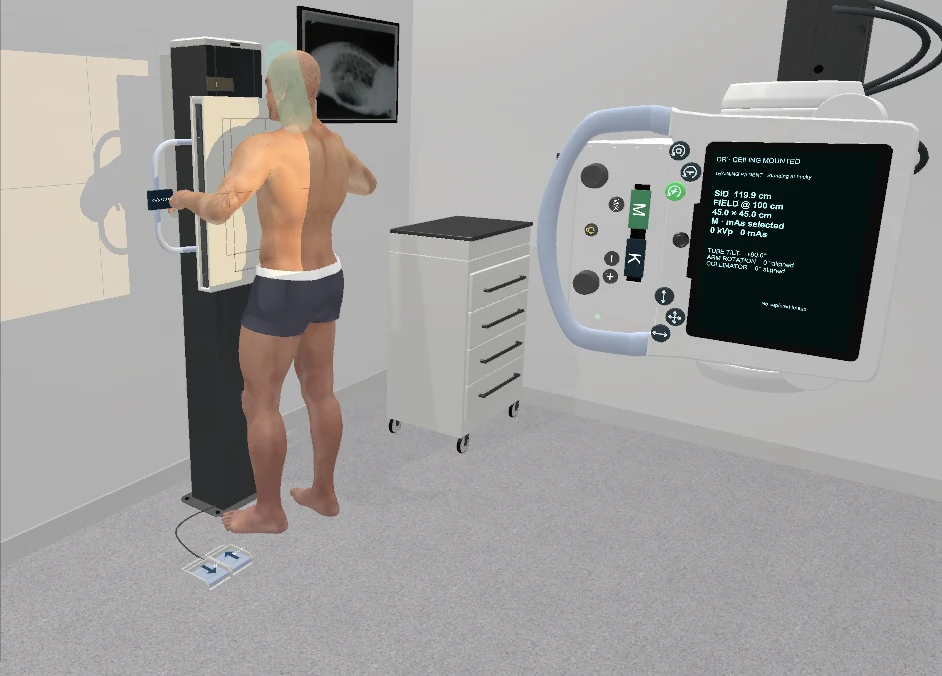
Selected highlights from the actual software. Explore the room, work through an examination and review the result.
01 / Patient-centred practice
Use the virtual room to rehearse positioning, equipment alignment and patient instructions before moving to the clinical environment.
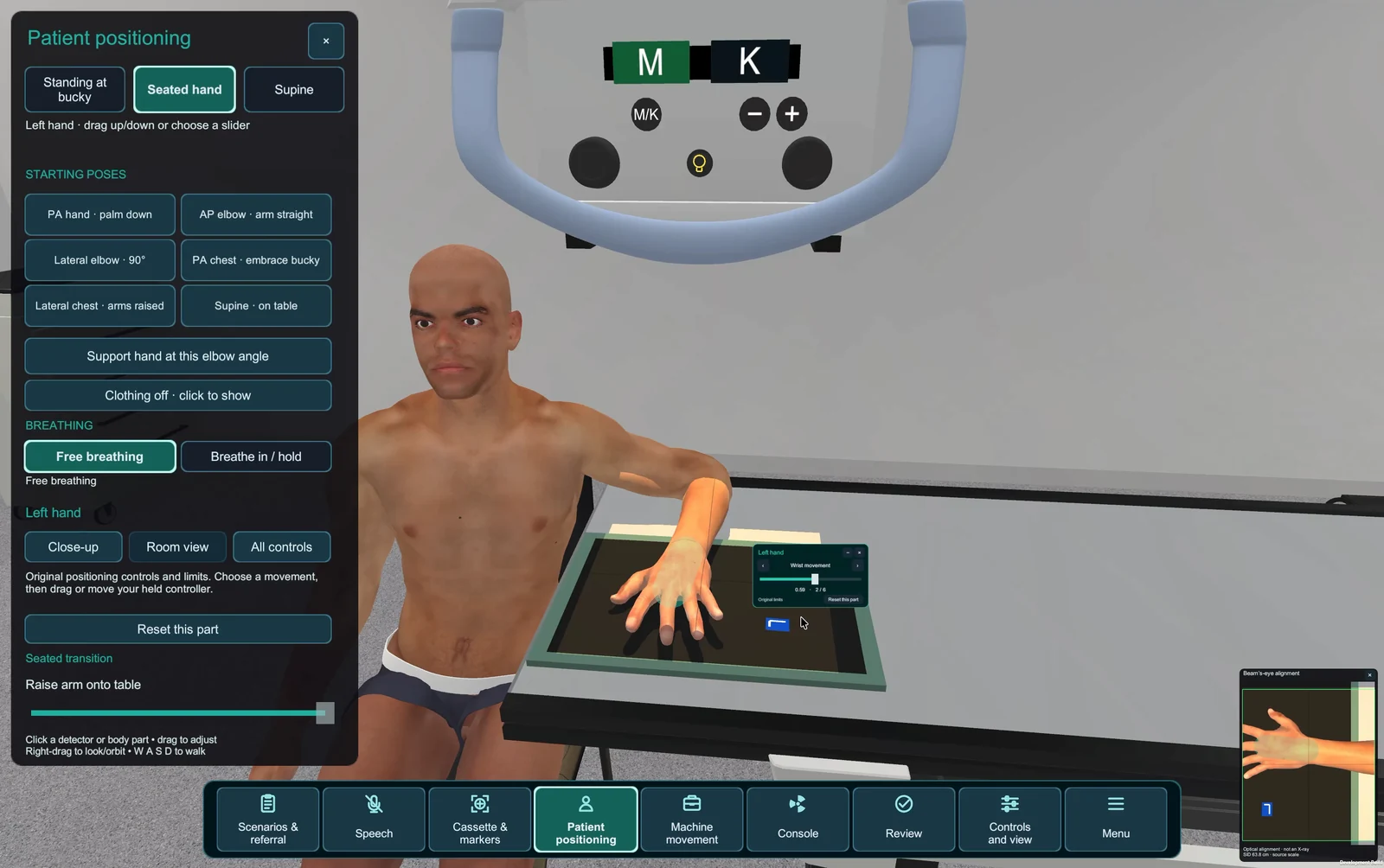
Explore the room on Meta Quest 3, or use the Windows and Mac desktop versions for demonstrations and individual practice.
Use supported English speech commands for patient instructions and positioning. Rehearse communication alongside the practical setup.
Work with male and female patient models, standing, seated and supine setups, and free-breathing or inspiration-hold acquisition.
Speech uses supported instructions and commands; recognition availability depends on the platform and setup. Patient models and images are educational simulations.
02 / Integrated knowledge checks & quizzes
Bring the questions into the examination. Read a fictional referral, consider the patient’s needs and work through scenario-based knowledge checks.
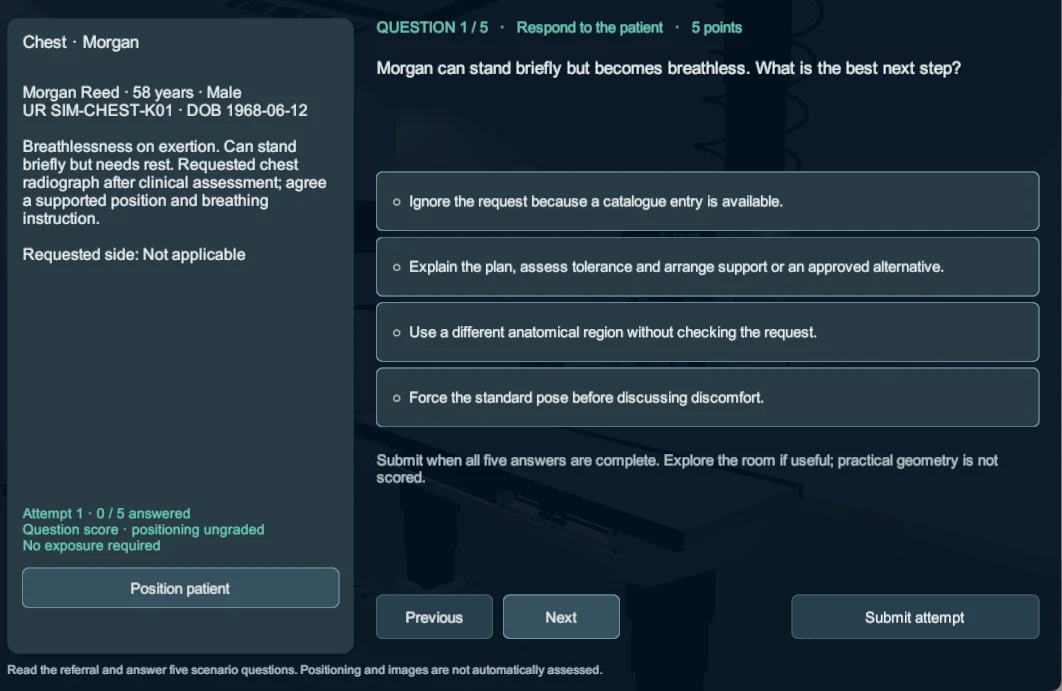
Use the referral, patient history and requested examination to guide your choices.
Complete integrated questions, then review knowledge scores and answer feedback.
Return to saved attempts and use the results to guide the next teaching conversation.
Knowledge scores are formative learning feedback. Practical positioning and clinical image quality are not automatically assessed.
A library built around the encounter
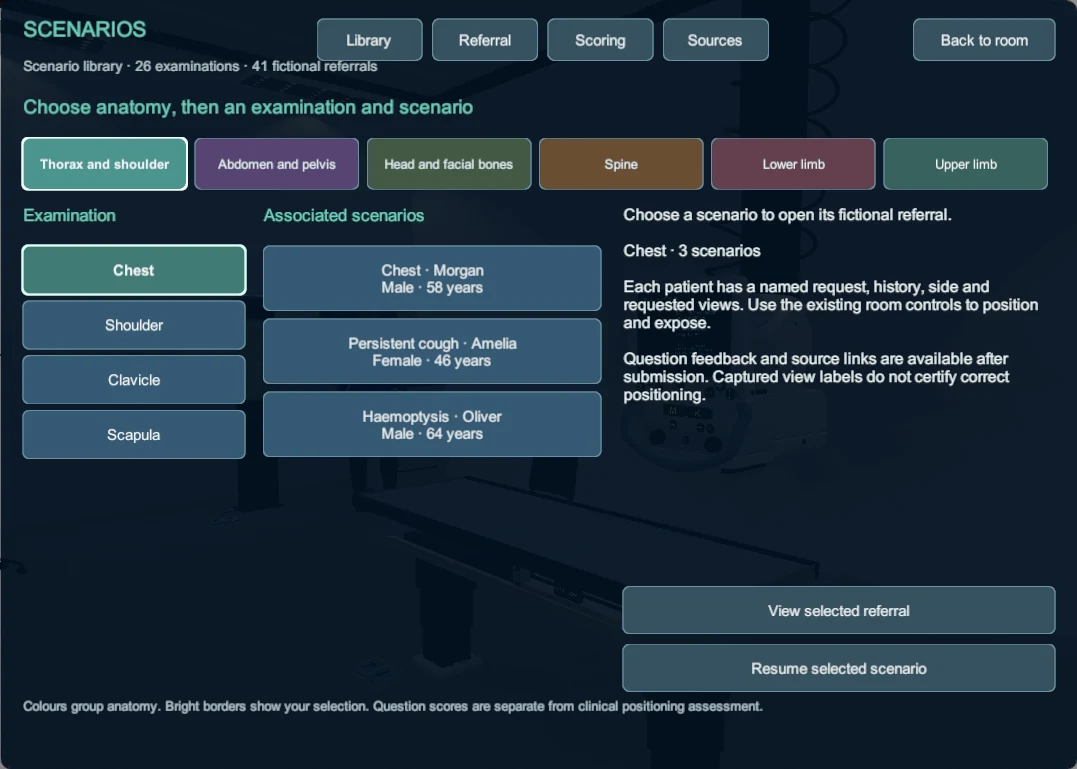
Choose an anatomical region, examination and fictional patient scenario. Review the history, requested side and views, then build the examination in the room.
03 / Equipment & imaging
Explore equipment geometry, tube and receptor alignment, collimation, source-to-image distance and exposure choices.
CR-style cassette workflow
CR-style cassette workflow
Digital detector workflow
Illustrative teaching profiles support comparison of image appearance and workflow; they are not calibrated models of a specific clinical detector.
04 / See what changes
An improved imaging and anatomy model, flexible image tools and examination-linked references keep image review connected to the setup.
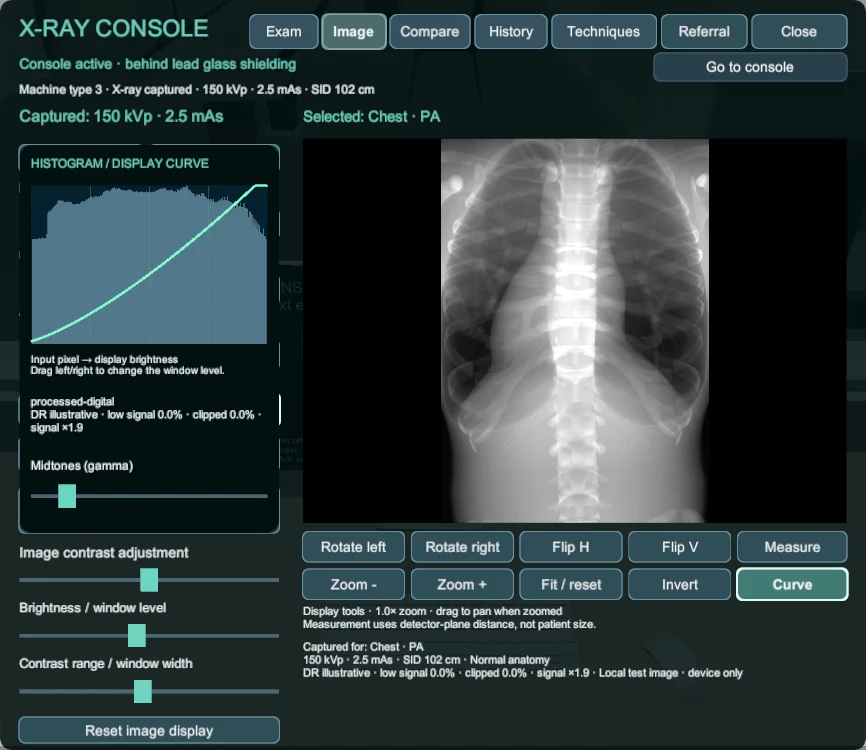
Work with a dynamic histogram and display curve. Change brightness, contrast, window and level; rotate, flip, zoom, invert and measure the image.
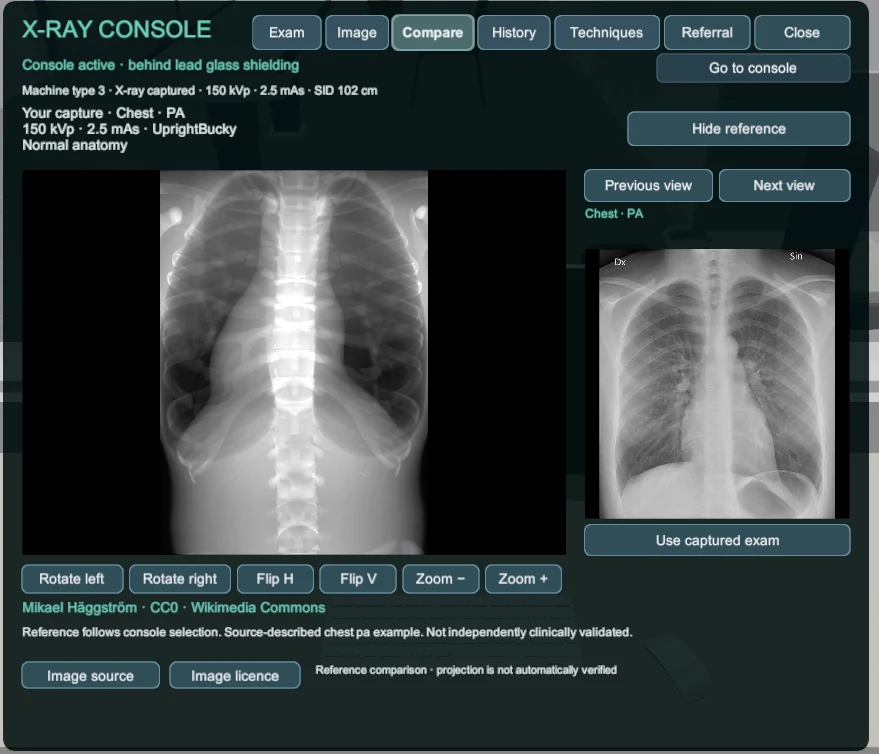
Use the anatomy and radiograph reference library to compare your capture with an examination-linked study image and identify points for discussion.
Chest reference shown in the comparison: Mikael Häggström / Wikimedia Commons, CC0 1.0. Reference coverage varies by examination; comparison does not automatically verify projection or clinical acceptability.
05 / Keep the learning visible
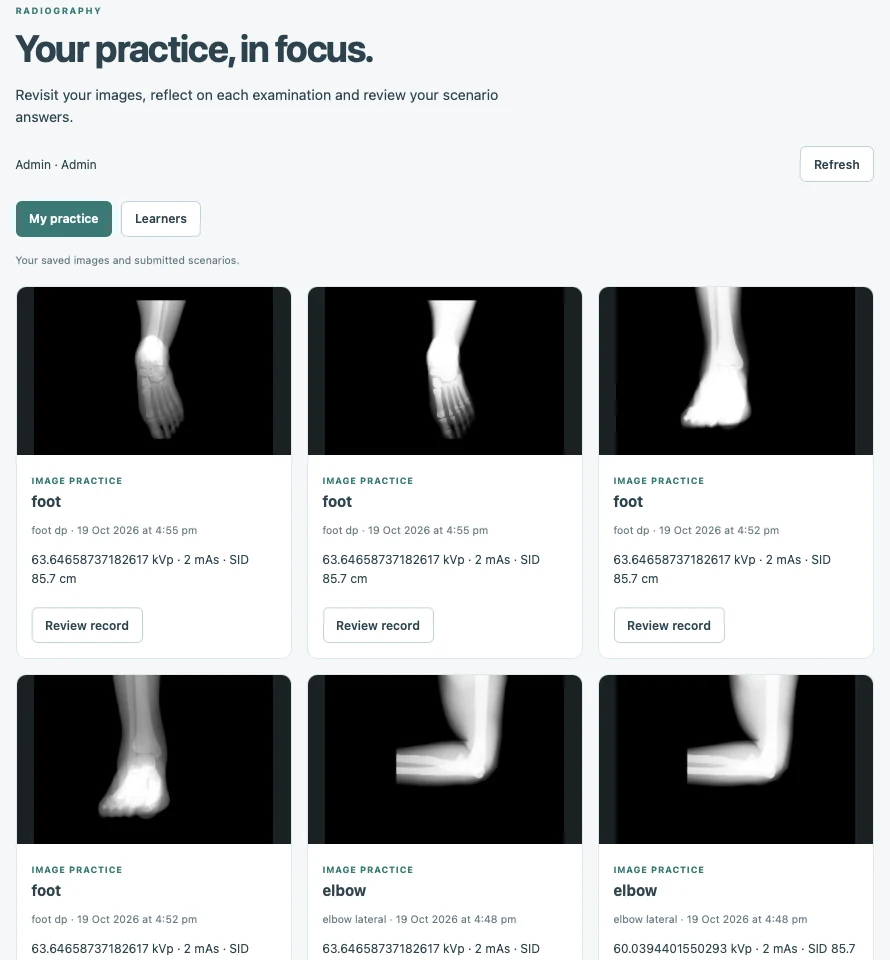
The online portal brings saved images, submitted scenario answers and learning history into a reviewable record.
Radiography access and sign-in required. Images shown are demonstration records.
A few useful details
CETSOL Clinic Radiography is available for Windows, macOS and Meta Quest 3. We can demonstrate the versions and discuss the equipment that best fits your teaching context.
The simulation runs in the installed desktop or Quest application. The online radiography portal is for reviewing saved learning records and image practice.
Scenario questions connect the referral, patient history and examination choices. Submitted knowledge checks provide scores and answer feedback for formative learning. Educators remain responsible for practical assessment and interpretation.
Yes. Arrange a demonstration or discuss institutional access. We can work through the teaching workflow, learner numbers, platforms and support requirements with your team.
CETSOL Clinic · Radiography
Let’s explore how the new module could work for your learners.
_chest_radiograph_(X-ray).jpg)